
EICR Checklist
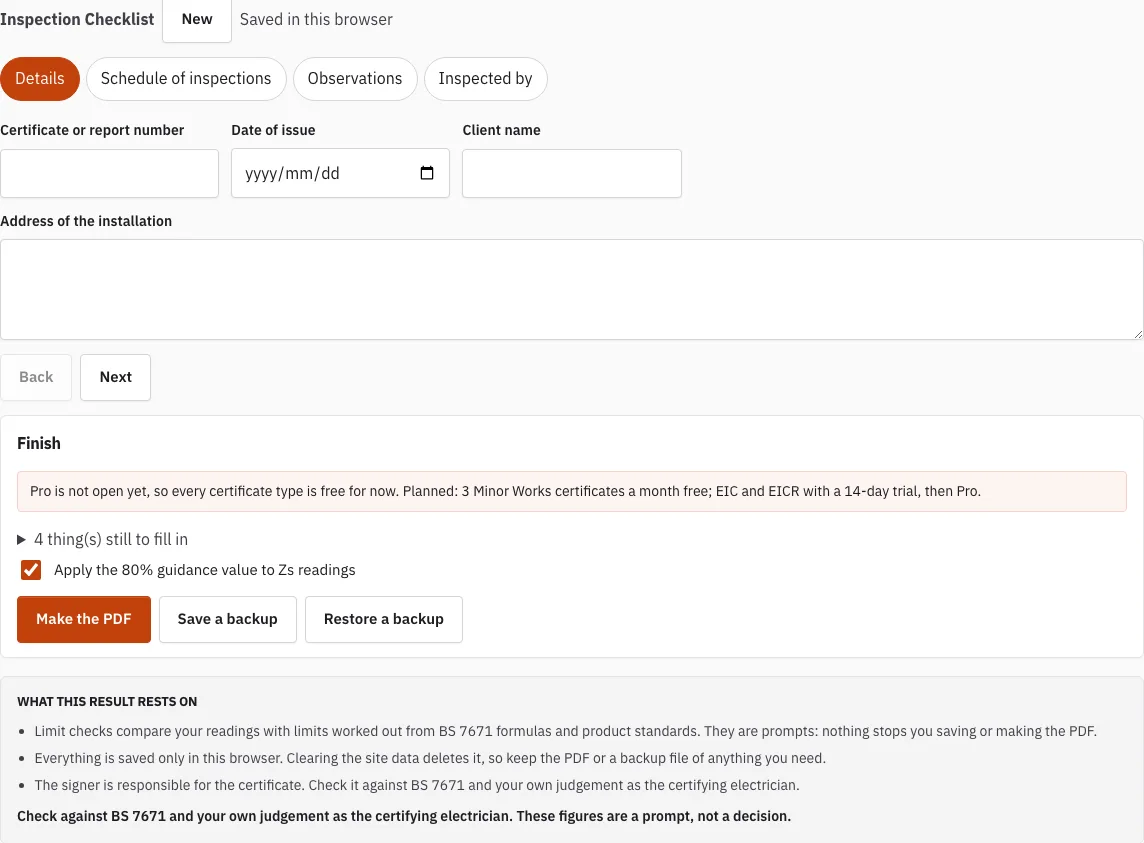
Tick through the inspection items, give each a result or a code and save the checklist as a PDF.
Saved in this browser
Nothing saved in this browser yet.
Finish
Free plan.
4 thing(s) still to fill in
- Client name
- Address of the installation
- Observations or inspection outcomes
- Signature: inspector
Free · runs in your browser · nothing is uploaded
How to use the EICR checklist
- Open a group. The six groups are intake and supply, consumer unit and distribution boards, wiring systems, accessories and equipment, special locations and equipment, and labelling and records. Each group opens and closes, so you can work through them one at a time.
- For each item, choose an outcome from the menu: Acceptable, C1, C2, C3, FI, Limitation or Not applicable.
- Write your findings in the note box. Where an item rests on a regulation or section, it is shown in small type under the item.
- Log each exception in the Observations tab with a code, a location, the text and a regulation. You can pick from the library of typical observations to save typing.
- When most items pass, select “Mark every empty item acceptable”. Every item still empty becomes Acceptable, so you only need to edit the exceptions. Use it only after you have actually inspected the items you are leaving as Acceptable.
- Open the Finish tab to see what is still empty. Fill in or correct those items, then make the PDF.
- Complete the “Inspected by” signature.
Entries are saved in this browser, so your work stays put if you leave the page and come back on the same device. To keep a copy outside the browser, save a backup file.
What Do C1, C2 and C3 Mean in an EICR Report?
Each observation carries a code that shows how serious the finding is. C1 and C2 need remedial work, C3 is a recommended improvement, and FI means the item needs further investigation, which is advised; it does not change the overall outcome. You pick these codes from the outcome menu and repeat them in the Observations tab.
| Code | Meaning | Effect on the overall result |
|---|---|---|
| C1 | Danger present, needs immediate action | Makes the report unsatisfactory |
| C2 | Potentially dangerous, needs urgent remedial work | Makes the report unsatisfactory |
| C3 | Improvement recommended | Does not change the result on its own |
| FI | Further investigation needed | Shown separately; does not change the overall outcome, further investigation advised |
What Happens After the Inspection?
Once every item has an outcome, the checklist shows what is left to deal with. Work through these steps in order:
- Open the Finish tab and clear anything still listed as empty.
- Carry out the further investigation for each FI item, and record what you find. An FI that stays open does not change the overall outcome, but it should be followed up.
- Review each C1 and C2 observation. Remedial work is needed for these codes, so agree the work with the client.
- Make the PDF from the Finish tab.
- Complete the “Inspected by” signature.
Every result is a prompt for the certifying electrician to judge, not a decision made by the checklist.
What Is Included in the EICR Checklist?
The checklist has six groups, and each group holds a fixed number of items:
| Group | Items |
|---|---|
| Intake and supply | 5 |
| Consumer unit and distribution boards | 7 |
| Wiring systems | 8 |
| Accessories and equipment | 5 |
| Special locations and equipment | 3 |
| Labelling and records | 4 |
Each item is written as a check you can confirm on site. Examples include main protective bonding conductors being present, correctly sized and connected, socket-outlets rated up to 32 A having 30 mA RCD additional protection, and circuits being identified with a chart or schedule at the board.
How this tool works and where the numbers come from
Items are our own wording, grouped by the parts of an installation a periodic inspection covers (Chapter 65).
Sources
- BS 7671:2018+A4:2026 Requirements for Electrical Installations (IET Wiring Regulations): publisher page, bibliographic reference; not checked against the printed text (BS 7671:2018+A4:2026) · checked
- IET Wiring Matters, July 2026: Implications of BS 7671:2018+A4:2026 on EICRs, further investigation (read) (Wiring Matters, Issue 110, July 2026) · checked
Frequently asked questions
Does the checklist cover the tests for an EICR?
The checklist covers the inspection part of a periodic report, following Chapter 65 of BS 7671, the version this site works to being BS 7671:2018+A4:2026. Testing is a separate part of the work, so the checklist does not replace it.
What is an EICR and who issues one?
An EICR records the condition of a fixed electrical installation that is already in use, and it follows Part 6 of BS 7671. It is issued by a competent person who has inspected the installation and signs the report.
What would make an EICR unsatisfactory?
A report is unsatisfactory when a C1 or C2 entry is present. A C3 entry is an improvement and does not change the result on its own, and an FI is left to the inspector to decide.
Who can carry out an EICR?
The inspection should be carried out by someone competent in inspecting and testing electrical installations. That person completes the checklist and signs the “Inspected by” section, so the signature shows who did the inspection.
Do I lose my entries if I close the page?
No. Entries are saved in this browser, so they remain when you come back on the same device. You can also save a backup file to keep a copy.
What is the difference between Limitation and Not applicable?
Choose Not applicable for an item that does not exist in the installation you are inspecting. Choose Limitation when something could not be fully checked, and explain why in the note box.
Is the checklist the whole EICR?
No. The checklist covers the inspection part of the periodic report, so you still need to complete the rest of the report separately.
Related tools
- EICR Certificate Maker: use it when you are ready to prepare the certificate for the installation you have inspected.
- EICR Codes: C1, C2, C3 and FI: use it to check which code fits a finding before you log it.
- EICR Report: Overall Assessment: use it to review the overall assessment once the checklist is complete.
- How Long Is an EICR Valid For?: use it to check how long a finished report should be treated as current.
- Maximum Zs Values for MCBs and RCBOs: use it when you need to compare measured earth fault loop impedance against the limits for a protective device.
- Schedule of Test Results: use it for the test readings that go with the inspection.