
Minor Works Certificate
Fill in a Minor Electrical Installation Works Certificate for a small job and save it as a PDF.
Saved in this browser
Nothing saved in this browser yet.
Finish
Free plan.
11 thing(s) still to fill in
- Certificate or report number
- Date of issue
- Client name
- Address of the installation
- Company or contractor name
- Date the work was completed
- Description of the work or installation
- Earthing arrangement
- AFDD test button operated (circuits with an AFDD)
- At least one circuit in the schedule of test results
- Signature: inspector
Free · runs in your browser · nothing is uploaded
How to use the Minor Works Certificate Maker
- Press New to start an empty certificate, or open an earlier one from Saved in this browser.
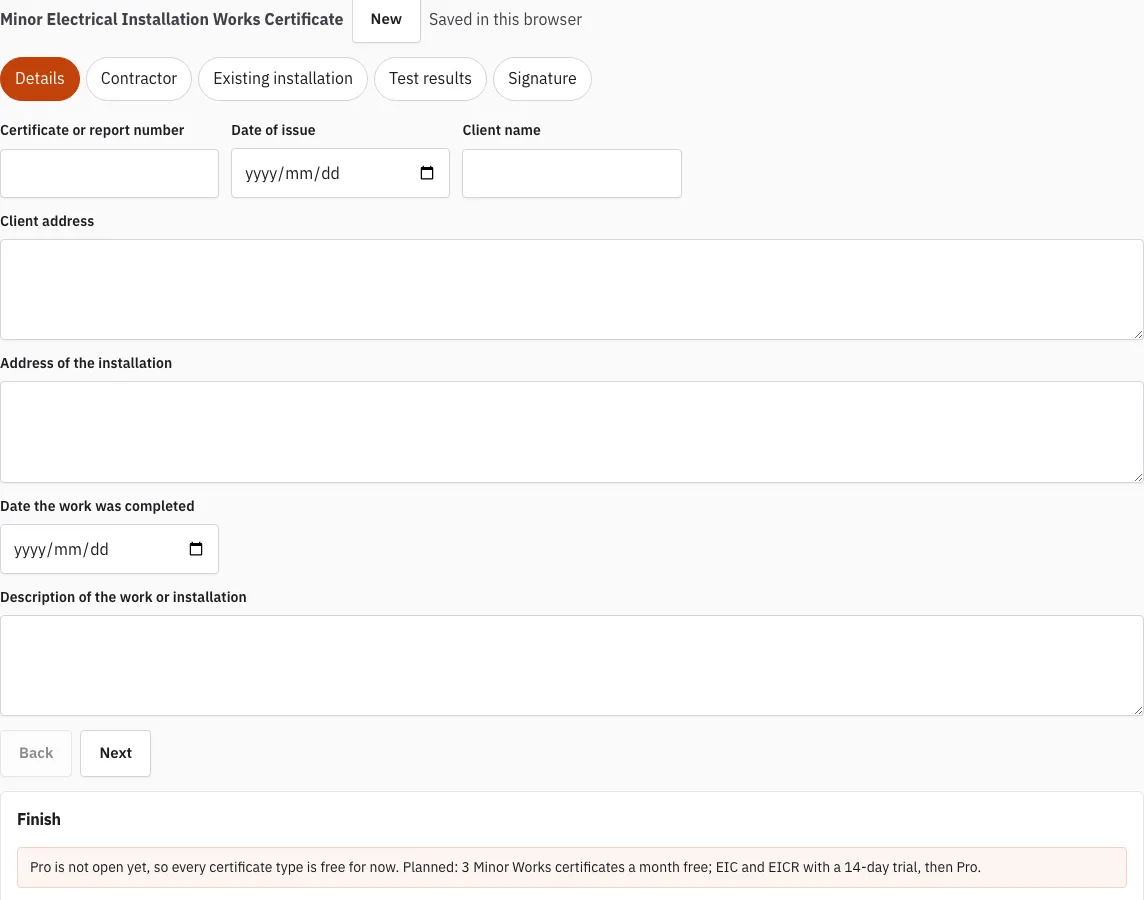
- On the Details tab, enter the certificate number, date, client, address, date completed and a description of the work.
- Check the Contractor tab. Your company name, address, phone, email, registration scheme and number are filled in from your last certificate, so update them if they have changed.
- On the Existing installation tab, record the earthing arrangement, whether the earthing and bonding are adequate, any departures and your comments.
- On the Test results tab, enter the readings for the one circuit you changed: Zs, insulation resistance, RCD trip times and polarity. Read the status line under each reading as you go.
- On the Signature tab, sign with a finger or a pen. Press Clear signature to start again.
- Open Finish. It shows how many readings are outside a limit and lists anything still empty.
- Press Make the PDF. The file is saved to your downloads.
Use Back and Next to move between tabs at any point. Save a backup from Finish to keep a copy of the certificate as a file, and use Restore a backup to load that file again later.
What is a Minor Works Certificate?
A Minor Works Certificate, formally the Minor Electrical Installation Works Certificate (MEIWC), records a small addition or alteration to an existing electrical installation. The model forms are set out in Appendix 6 of BS 7671, and this tool works to BS 7671:2018+A4:2026. The electrician who carried out the work completes it, signs it and hands it over with the work.
BS 7671 Chapter 64, Regulation 644 draws the dividing line. A new circuit or a new consumer unit needs an Electrical Installation Certificate (EIC) instead, so a MEIWC is only for work that stays within a circuit that already exists.
What qualifies as “minor” work?
Minor work is a small addition or change to an existing circuit that does not create a new circuit and does not change the consumer unit. The table shows how common jobs sort into the two certificates.
| Type of work | Certificate |
|---|---|
| Another socket-outlet on an existing circuit | Minor Works (MEIWC) |
| An extra light point on an existing circuit | Minor Works (MEIWC) |
| Moving a switch on an existing circuit | Minor Works (MEIWC) |
| New circuit | Electrical Installation Certificate (EIC) |
| Consumer unit change or rewire | Electrical Installation Certificate (EIC) |
For the circuit on the Test results tab, the tool checks Zs (earth fault loop impedance) against the maximum for the device. For a type B, C or D MCB or RCBO, that maximum is 0.95 x 230 V divided by the instantaneous trip current, which is 5, 10 or 20 times the rating. If you tick “Apply the 80% guidance value to Zs readings”, a reading inside the maximum but above 80% of it gets a warning. That 80% figure is a field practice, not a regulation.
Every result is a prompt for the certifying electrician, not a decision. A status line that says “rule review pending” means that rule has not yet been checked against the printed BS 7671:2018+A4:2026 text.
How this tool works and where the numbers come from
The layout follows the information the model forms in Appendix 6 of BS 7671:2018+A4:2026 ask for; limits are calculated from BS 7671 formulas.
Sources
- BS 7671:2018+A4:2026 Requirements for Electrical Installations (IET Wiring Regulations): publisher page, bibliographic reference; not checked against the printed text (BS 7671:2018+A4:2026) · checked
- IET: model forms for BS 7671 (the IET's own free page; WiringCert does not reproduce them) (BS 7671:2018+A4:2026 model forms) · checked
Frequently asked questions
Who completes a Minor Works Certificate?
The electrician who carried out the minor work completes and signs the Minor Electrical Installation Works Certificate. Work that adds a new circuit or changes a consumer unit uses the Electrical Installation Certificate instead.
What is the difference between Minor Works, EIC and EICR?
A Minor Works Certificate records one small change to an existing circuit. An Electrical Installation Certificate covers new circuits, rewires and consumer unit changes. An EICR reports on the condition of an existing installation, so it is a condition check rather than a record of one job.
Can I use a Minor Works Certificate for a new circuit?
No. New circuits, rewires and consumer unit changes need an Electrical Installation Certificate, not a MEIWC.
What should I check before making the PDF?
Open Finish. It lists what is still empty and how many readings are outside a limit, and the Signature tab is where you sign.
Is there a limit on Minor Works certificates?
While Pro is not open, every certificate type is available without limits. The planned free allowance is three Minor Works certificates a month, counted in this browser, and the planned prices are on the pricing page.
Is the PDF a copy of the IET forms?
No. The PDF uses the WiringCert layout and carries the line “Based on the model forms in Appendix 6 of BS 7671:2018+A4:2026”. It is not a copy of the IET forms.
Related tools
- EICR Certificate Maker: use it when you are reporting on the condition of an existing installation rather than a single change.
- Electrical Installation Certificate (EIC): use it for a new circuit, a rewire or a consumer unit change.
- EICR Certificate Template: use it if you want a blank layout to print and fill in by hand.
- Minor Works Certificate Template: use it if you prefer a printable layout before using the maker.
- Schedule of Test Results: use it to see how circuit readings are laid out across a full schedule.
- Which Electrical Certificate Do I Need?: use it when you are not sure whether your job needs a MEIWC, an EIC or an EICR.
- EICR Codes: C1, C2, C3 and FI: use it to understand the observation codes used on an EICR.
- Maximum Zs Values for MCBs and RCBOs: use it to check the Zs limit for a device before you enter a reading.